
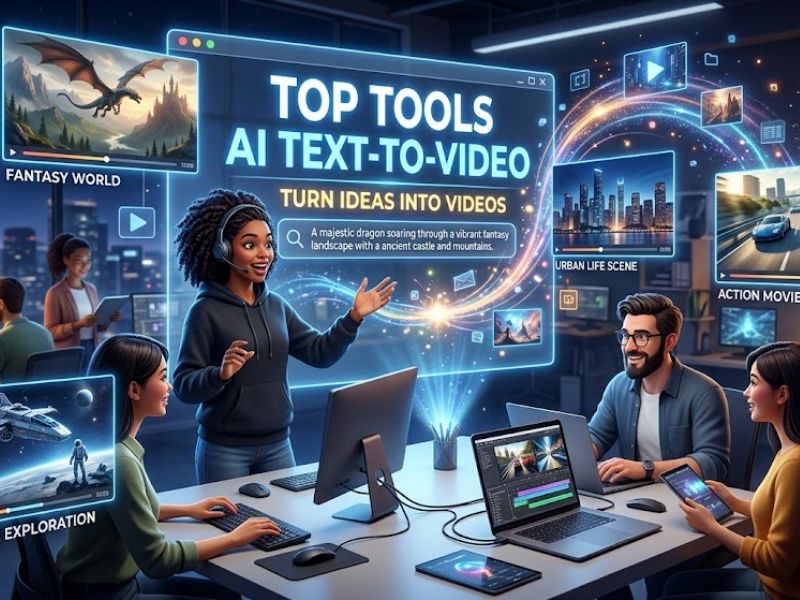

Creating a movie used to take many hours and expensive, heavy tools. With the advancements in technology, you can now use AI text-to-video tools to save time. These smart programs convert your basic text into animated stories. The article presents the best AI text-to-video tools that users should test to create their visual content from basic concepts.
Part 1. Why AI Text-to-Video is a Game-Changer
Modern creators now use AI-generated video tools to form text very quickly. The following five reasons demonstrate how the technology permanently alters the process of creating videos.
Fast Speed: Videos are made in minutes instead of days using AI text-to-video. This quick process helps you finish your work much faster than before.
Easy Scaling: Teams can create dozens or hundreds of videos with simple text prompts. The organization can produce additional content without needing extra personnel or additional work hours.
Multiple Formats: Teams use basic text prompts to generate anywhere from 12 to 100 videos. The organization can produce additional content without needing extra personnel or additional work hours.
Language Support: Videos can include translated voiceovers and subtitles for global audiences. This allows marketers to reach multiple areas quickly and efficiently.
Creative Control: Users can control AI through a storyboard interface and character design styles. People who lack expertise can create visually appealing videos with simple editing tools.
Part 2. 4 Best AI Text-to-Video Generators to Try in 2026
With the AI video generator tool,s you can create visual content from your concepts through a process that requires only basic operations. The following section presents the four best options that enable users to create videos through a straightforward and efficient process.
1. Filmora
You can create amazing clips using the powerful Wondershare Filmora. The software provides creators with an efficient solution that transforms their concepts into professional-grade videos. The tool supports multilingual input, which allows creators from different countries to produce videos using their native languages.
The AI Idea-to-Video feature produces 10–30 second beginner-friendly videos, which it delivers rapidly for social media content creation. The platform enables users to create ASMR and storytelling videos through sound and visual components. The system enables users to create authentic AI voiceovers that support multiple languages and regional accents for global distribution.
Key Features
Style Options: Choose preset or prompt-based styles to make your video visually appealing.
Audio Matching: Background music and voiceovers automatically match the video’s visual theme and emotion.
Full Audio: Generates full audio tracks with voice and SFX for ready-to-share videos.
User Reviews
Positive Reviews
- The system has provided me with effective results through my extended use. The only downside is that many of the newest features and effects are included only in the monthly subscription plan. The better option would have been to sell the items through individual purchases or DLC-style packs. The overall experience suffers from this element, according to my assessment.
- The all-in-one video editing platform provides complete control to its users. Its user-friendly setup helps users work on long projects that extend into multiple weeks until they meet their deadlines. The tutorial videos provide access to all the needed information, which makes it impossible to request any additional resources. The video editing software displays excellent performance without its AI enhancements, but reaches outstanding capabilities through these features. The product deserves a perfect score of 5 stars according to my evaluation. The company should continue to provide more content to its customers.
Negative Review
- The user who wanted to perform testing signed up for a trial but mistakenly paid for an annual subscription, which he could not refund after a five-minute conversation with customer support. The user attempted to convert audio into movie clips but experienced poor results because the system interrupted every two seconds and produced only one-third of the complete song.
2. Synthesia
This AI video generator supports 160+ languages for creating videos for global audiences. The system enables users to transform website links into videos through automatic content extraction and conversion processes. The system updates audio content whenever the script undergoes changes, which maintains perfect synchronization between voice and visual elements. The system creates multiple videos from various scripts to support the efficient production of extensive content.
Key Features
Upload PDFs, PPTs, or documents to generate videos directly from written content.
AI helps create or improve scripts before turning them into engaging videos.
Auto‑translation of scripts and 1‑click video translation for localization at scale.
User Reviews
Positive Reviews
- The presentation was excellent, yet it exceeded my beginner capabilities to understand it. I need to watch other beginner presentations because the current presentation is too difficult for me. I created multiple videos, which I used for my business operations. The platform is excellent,nt and the Personal Avatar feature functions very well.
- The session would have improved if it had followed the subscription model because certain features are restricted to specific subscription tiers. Everything went well except for that issue, so I appreciate your help.”
Negative Reviews
- The company deceived customers from the start about their policies on credit expiration. The platform has extensive restrictions, which include three major issues. The system fails to recognize facial movements because users can only create 30-second videos,o s and their credits permit them to produce one video each month. The company continues to take payments from customers who have already canceled their services. Better AI programs exist beyond the current technology.
- I subscribed to Synthesia thinking I was signing up for a monthly plan, but I was charged for a full year upfront without a clear warning. The product delivered limited features, which I found to be less valuable than the other AI tools I use. The company denied my request for a refund of unused months after I canceled my subscription to the service, which I believe to be unfair and deceptive. I do not recommend this platform because there are better AI tools that provide users with clearer pricing information and more adaptable features.
3. HeyGen
HeyGen produces complete AI-generated videos within minutes through its automated system that creates scenes and processes content intelligently. The system enables users to create video content through AI, which delivers visually clear results and professional cinematic quality. Users can create scene arrangements by using a straightforward drag-and-drop editor to combine different media elements. The system provides automatic scene transitions that deliver a professional video flow that maintains continuous viewing.
Key Features
Edit the script text anytime and automatically update v
ideo scenes without manual adjustments.
Create videos in over 175 languages and dialects for a global audience reach.
Choose from hundreds of AI avatars to present your script naturally on screen.
User Reviews
Positive Reviews
- I tested almost 50 AI applications, and Heygen is the best among the avatars. The system requires one day to build an AI twin avatar in my second software, Synthesia, but Heygen enables instant twin avatar creation within a few seconds. Definitely, Heygen is the best avatar AI application I have tested so far.”
- I love Hey Gen. I was able to get a lot of use out of it. It’s extremely easy to use. And has gotten a lot of traction for my fragrance business.
Negative Reviews
- The summary of HeyGen for potential users states that they should avoid using the service because people who use the service will lose their money. The company has made public apologies, but no actual progress has occurred. The people who built the system should face their consequences. As users, we can continuously voice our opinions. The positive reviews and YouTube recommendations should not convince you to trust the product.
- The system rejected my payment method when I tried to create a monthly subscription. The system charged me double when I changed my subscription after one month because it locked me out. The customer support team offered me two choices: pay again or cancel my subscription. The app became unusable for me during the previous month, which led me to cancel my subscription. The whole thing operates as a fraudulent scheme.
4. Adobe Firefly Video Model
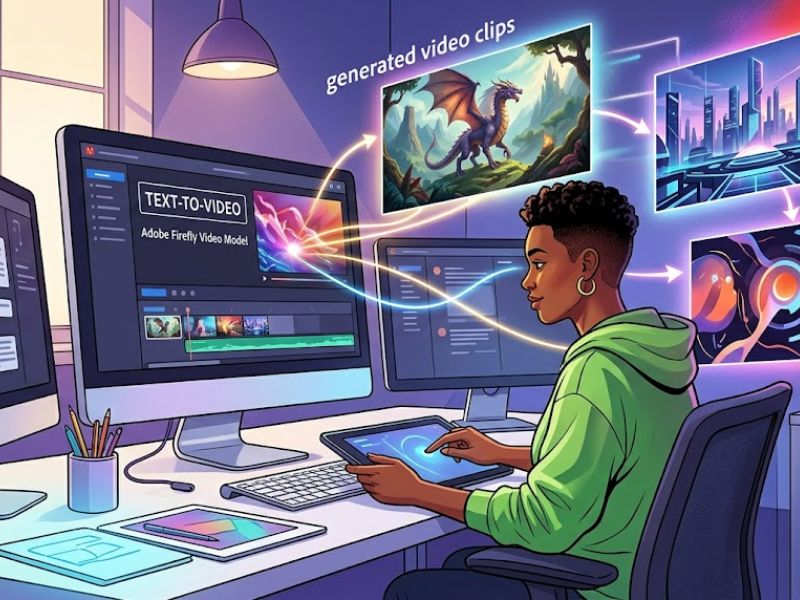
This AI video generator allows you to create AI videos through a single click, which uses prompts to produce videos without any need for editing. The system creates intermediate frames, which enable it to produce smooth transitions between different video movements. The system enables editors to watch generated videos at once while they modify their prompts and settings without any waiting time. The system creates different style variations based on the same prompt, which allows users to discover various creative options.
Key Features
Export generated videos in MP4 format suitable for sharing across different platforms.
Integrate voice recordings or audio directly into generated video clips easily.
Create B-roll footage from text prompts to support interviews or storytelling videos.
User Reviews
Positive Reviews
- The Adobe ecosystem integrates with Photoshop through its Generative Fill feature more effectively than any other system according to my observations. The design tool provides me with automatic retouching capabilities, which help me complete my work faster by eliminating the need for manual touch-ups. The ‘commercial safety’ feature brings me comfort because I know that the model uses Adobe Stock training data, which protects me from copyright issues when I present my work to clients.
- The Adobe Firefly application functions as a component of the Adobe ecosystem, which I use together with multiple Adobe applications. The application enables me to transfer Firefly-generated content to other software programs while maintaining compatibility with all applications within the same software suite.
It’s simple to use, not overly strenuous to understand and learn. It works, and nine times out of ten, it functions and does what it says. “
Negative Reviews
- The video only exists as a 5-second trial because I have been a loyal customer for many years. The system shows stingy behavior because it exploits users through an inferior AI system that produces disconnected results. My expectations for this event were high, but I ended up with total disappointment. The current model allows almost zero opportunity for customers to get any feel for how it works. My two attempts to create a short 5-second video ended with unsatisfactory results. The product Firefly will not receive any payment from me. The Marketing Department needs to seriously rethink its approach.
Part 3. Why Filmora Stands Out as the Best AI Text-to-Video Generator
Filmora makes it easy to AI-generate video from text with simple steps. Review the main reasons below why Filmora stands out among the top AI tools:
Quality Generation: The system utilizes Sora 2 and Veo 3.1 advanced AI models to produce cinematic video content with smooth playback. The models enhance generated video clips by improving their motion attributes and lighting effects and maintaining visual consistency.
Character Tools: The artificial intelligence creates characters who appear throughout multiple scenes to enhance the storytelling experience. The characters that the system generates make videos more interesting while helping viewers to understand the content better.
Style Control: The artificial intelligence creates characters who appear throughout multiple scenes to enhance the storytelling experience. The characters that the system generates make videos more interesting while helping viewers to understand the content better.
Fast Work: The computer can finish difficult tasks, which allows you to complete work more efficiently. You can complete multiple projects within a single day which you can then share with your friends.
Free Sounds: You can access free music tracks and high-volume sound effects. The additional sound effects enhance your project because they create a more thrilling experience for all viewers.
Detailed Guide to Make a Video Using Text In Filmora
Let’s explore the steps below to generate an AI video using a text prompt:
Step 1. Open Text to Video Tool
Go to the main screen and select the “Text to Video” option to begin.
Step 2. Create Your Video With Text
Type your prompt into the text box, choose an AI model like “OpenAI Sora 2”, then click “Generate” to start creating your video.
Step 3. Preview and Save
Once your video is generated, preview it and opt for the “Export” button.
Conclusion
AI tools enable people to create videos easily because they provide accessible solutions for video production. The tools allow users to create compelling visual content from their concepts without requiring them to work extensively. The growth of AI text-to-video technology is helping creators save time and work smarter. If you want better quality and full control, Filmora is a great choice to start creating videos easily.