

Introduction
The world of 3D printing is growing rapidly, and businesses, schools, and creators are constantly looking for better ways to manage their printing tasks. This is where a 3D print manager becomes extremely useful. Whether you are running a small workshop or managing multiple industrial printers, a reliable system can completely transform your workflow. A 3D print manager helps users organize print jobs, monitor machines, reduce errors, and improve overall productivity. Instead of dealing with confusion and wasted time, users can streamline the entire printing process with better control and efficiency.
Managing several 3D printers manually can feel like trying to direct traffic in a busy city without signals. Files get mixed up, print queues become disorganized, and failed prints waste valuable resources. A modern 3D print manager solves these challenges by creating a smooth and organized printing environment.
What is a 3D Print Manager?
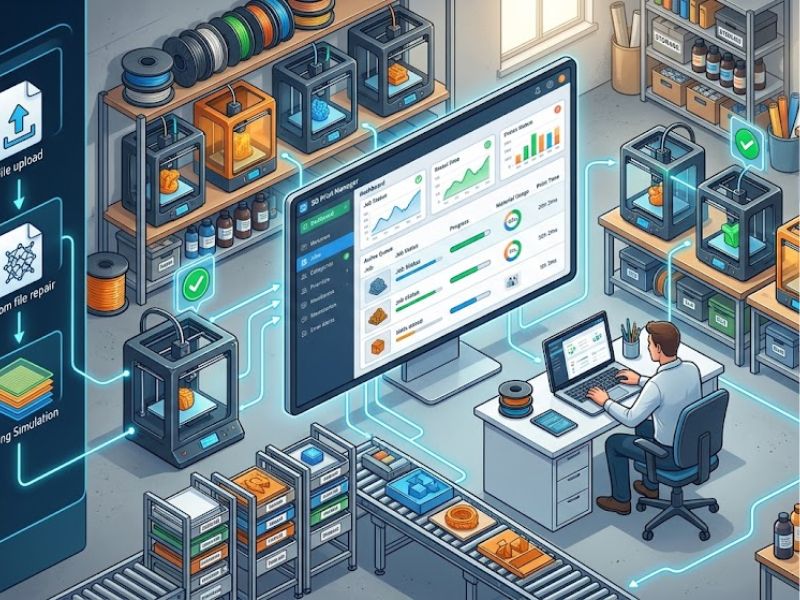
A 3D print manager is software or a management system designed to control and organize 3D printing operations. It allows users to manage printers, track print jobs, monitor performance, and improve workflow efficiency from a centralized platform.
This type of software is especially important for:
- Manufacturing businesses
- Design studios
- Educational institutions
- Engineering companies
- Print farms
- Hobbyists with multiple printers
Instead of manually handling every machine, users can automate many tasks and save significant time.
How a 3D Print Manager Simplifies Workflow
One of the biggest advantages of using a 3D print manager is workflow simplification. Managing multiple print jobs manually can quickly become stressful, especially when deadlines are involved.
A print manager helps by:
- Organizing print queues
- Managing files efficiently
- Scheduling print jobs
- Tracking printer availability
- Reducing human errors
This organized system improves productivity and allows teams to focus more on creativity and production rather than technical management. When workflows become smoother, projects move faster, and customers receive products on time.
Better Printer Monitoring and Control
Modern 3D printing environments often include several printers operating at the same time. Monitoring each machine manually can waste time and energy. A 3D print manager provides centralized control where users can monitor all connected printers from one dashboard. This includes:
- Printer status updates
- Temperature monitoring
- Material tracking
- Print progress
- Error notifications
This real-time monitoring helps prevent serious issues before they become expensive problems. For example, if a printer suddenly stops or experiences a material issue, the system immediately alerts the operator. This quick response can save hours of lost production time.
Reducing Printing Errors and Failed Jobs
Failed prints are one of the biggest frustrations in 3D printing. They waste:
- Materials
- Time
- Energy
- Money
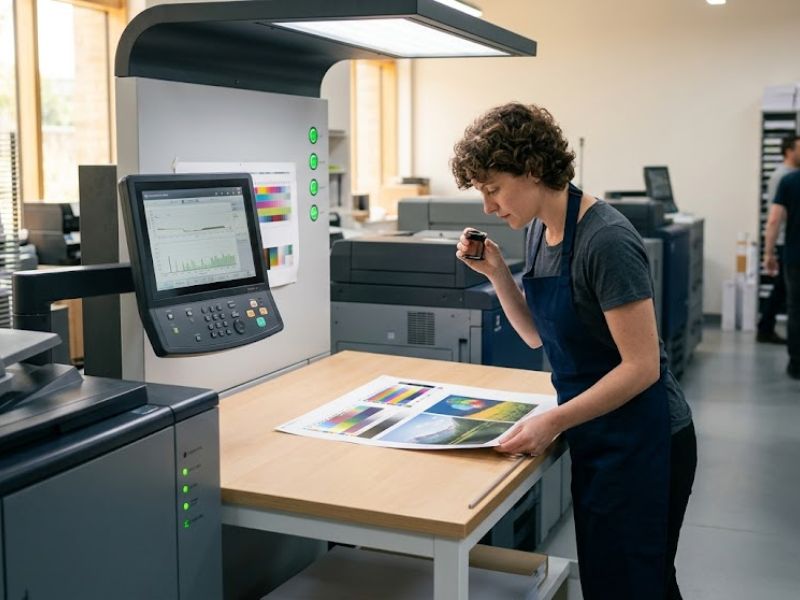
A reliable 3D print manager helps reduce these failures by improving job management and printer coordination.
The software can detect:
- File compatibility issues
- Incorrect printer settings
- Temperature inconsistencies
- Print queue conflicts
By identifying problems early, users can avoid costly mistakes and improve print success rates. This is especially important for businesses handling large production volumes where every failed print affects profitability.
Improving Team Collaboration
In many companies, multiple people work on the same 3D printing projects. Designers, engineers, and production managers all need access to files and printer updates. A 3D print manager improves collaboration by allowing teams to:
- Share files easily
- Track project progress
- Assign print tasks
- Monitor completed jobs
- Access cloud-based systems
Instead of relying on emails or manual communication, teams can work together more efficiently using a centralized management platform. Better communication often leads to faster project completion and fewer misunderstandings.
Efficient File Organization and Storage
As 3D printing operations grow, managing design files becomes increasingly difficult. Important files may get lost, duplicated, or accidentally deleted. A 3D print manager helps organize files systematically, making it easier to:
- Store design files
- Search previous projects
- Access print history
- Manage revisions
- Secure sensitive designs
This organized approach saves time and improves workflow consistency. Imagine trying to find one important design file among thousands of random folders. Without proper management, the process can become frustrating and time-consuming.
Remote Access and Cloud Integration
One of the most advanced features of modern 3D print manager software is remote access. Many systems now allow users to control and monitor printers from anywhere using cloud technology.
This means operators can:
- Start print jobs remotely
- Check printer status online
- Receive mobile notifications
- Manage production while traveling
Remote access is especially useful for businesses running large print farms or multiple office locations. In today’s digital world, flexibility and remote management have become essential for efficient operations.
Saving Time and Increasing Productivity
Time is one of the most valuable resources in any business. Manual printer management can consume hours every day, especially in busy production environments. A 3D print manager automates repetitive tasks and streamlines operations, helping businesses increase productivity significantly.
Some productivity benefits include:
- Faster job scheduling
- Reduced downtime
- Automated workflow management
- Better printer utilization
- Improved production speed
When employees spend less time fixing problems or organizing files, they can focus more on innovation and production quality.
Cost Reduction and Resource Management
Every failed print and delayed project increases operational costs. Material waste and machine downtime can become expensive over time. A good 3D print manager helps businesses reduce costs by improving efficiency and resource management.
The software helps monitor:
- Material usage
- Printer performance
- Energy consumption
- Maintenance schedules
This data allows companies to make smarter decisions and avoid unnecessary expenses. For businesses with high-volume printing operations, these savings can become very significant.
Security and Access Control
In professional environments, not everyone should have access to every printer or project file. Security is especially important for companies handling confidential product designs. A 3D print manager often includes user permissions and access controls that help protect sensitive information.
Administrators can:
- Assign user roles
- Restrict file access
- Control printer permissions
- Track user activity
This creates a safer and more organized work environment.
Why Businesses Need a 3D Print Manager
As 3D printing technology becomes more common, businesses need smarter ways to manage production efficiently.
A 3D print manager helps companies:
- Improve workflow
- Increase productivity
- Reduce operational costs
- Enhance print quality
- Support team collaboration
- Simplify printer management
Without proper management tools, scaling a 3D printing operation can become difficult and chaotic. Businesses that invest in advanced printing management systems often gain a competitive advantage in the market.
Future of 3D Print Management
The future of 3D printing management looks very promising. Artificial intelligence and automation are expected to make 3D print manager systems even more powerful.
Future features may include:
- AI-powered print optimization
- Predictive maintenance
- Automated error correction
- Smart production scheduling
- Advanced cloud integration
As technology evolves, print management systems will continue improving speed, accuracy, and efficiency across industries.
Conclusion
A 3D print manager plays a vital role in improving modern printing workflows. From organizing print jobs to reducing errors and increasing productivity, these systems help businesses and creators manage their operations more effectively.
In today’s fast-paced production environment, manually controlling multiple printers is no longer practical. A reliable management system provides better organization, smarter automation, and improved collaboration for teams of all sizes.
Whether you are a small business owner, engineer, designer, or large-scale manufacturer, investing in a professional 3D print manager can save time, reduce costs, and improve overall printing performance. As 3D printing technology continues to grow, efficient print management will become even more important for success.