
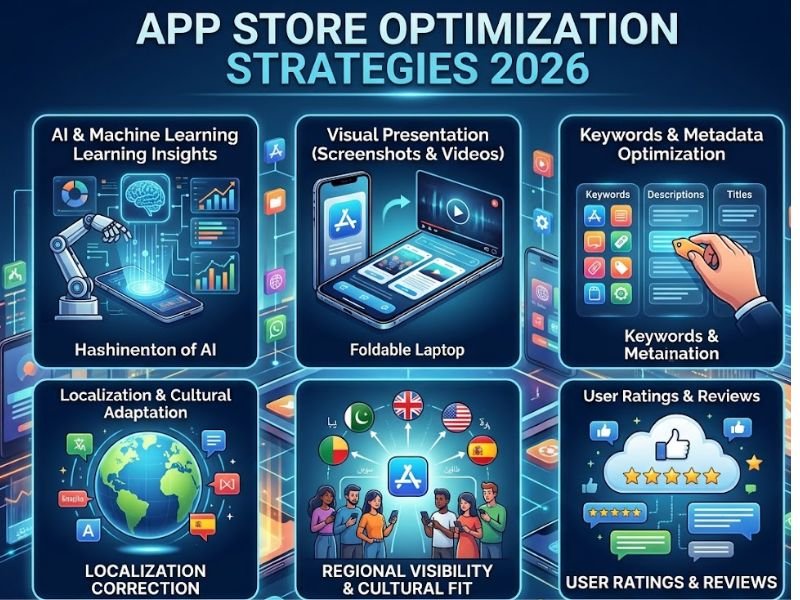

Mobile apps have become an important part of everyday life, helping people shop online, manage finances, learn new skills, and communicate with others. However, with thousands of apps competing for attention, getting noticed in the Apple App Store and Google Play Store can be challenging. App Store Optimization helps developers and businesses improve their app listings, increase visibility in search results, and encourage more users to download their applications. In 2026, a thoughtful ASO strategy involves understanding user search behavior, creating attractive app listings, and continuously improving the experience offered to potential users.
What Is App Store Optimization?
App Store Optimization, or ASO, is how you improve what people see on a mobile app store page. The aim is to raise visibility and boost the chance that visitors actually install the app. In practice, this means working on several parts of the listing. You review the app name, the text in the description, the keyword choices, the icon, and the screenshots. You also look at preview videos, plus ratings and user reviews.
This is not only about getting more traffic. It is also about making sure the right people can tell what the app does. If users can understand the app’s purpose and value fast, they may be more willing to try it. Apple’s App Store and Google Play do not rank apps in the same way. They also ask for different listing details. Even so, both benefit from the same basic things: clear info, useful keywords, and a smooth user experience.
Conduct Effective Keyword Research
Keyword research is one of the basic pieces of a strong ASO plan. It lets developers see what words and phrases people type when they look for apps. Instead of guessing which terms to use, a business should check real search terms and think about what users are trying to do. Start by figuring out what the app is meant to do. Also note what issues it helps solve. For instance, a budgeting app may aim at searches like expense tracking, monthly budgets, or personal finance management. A fitness app might lean toward workout planning, exercise tracking, or home training.
It also helps to target longer, more specific search phrases that fit the app’s features. These can bring in people who want a clear type of app. You can look at competitor listings for more options, but do not copy their text. Keep an eye on keyword results over time, since how people search can shift.
Optimize the App Title and Description
The app name is one of the first things people see. It needs to say what the app is and what it does. It should be simple to read. Adding one key term can be useful. Using the same term too many times can make the title feel off. The app summary should tell the user what the app does. It should also say who it is for. Explain how it supports the user. Lead with the main value first. Then add extra details like features or small examples. Keep the text in short blocks. Use plain words so it is easy to scan on a phone.
App Store Optimization also, you have to follow the rules that each platform sets. The Apple App Store and the Google Play Store treat the text you write and the keyword data in different ways. Because of that, you should adjust your content for each store instead of copying the same plan to all of them.
Improve App Icons, Screenshots, and Preview Videos
The visuals you choose can affect whether someone installs your app. A good icon should stand out, be easy to read when it is tiny, and match the app’s look. If the icon is too busy, people will struggle to understand it. Screenshots should show what the app actually does. Don’t just share random screens. For instance, a travel app can show finding places, making plans, and finishing a booking. A productivity app can show how it organizes tasks, how reminders work, and how users can view progress.
Short video clips can help too. They should focus on the best parts of the app. Make sure the point is clear even if someone only watches for a moment. Test how the visuals look on different screen sizes before you post any changes.
Encourage Ratings and Respond to Reviews

Ratings and reviews give new users a quick sense of what an app is like. When people say good things, it can make others feel more sure. When they point out flaws, it often shows where work is needed. App teams can get better feedback when they ask for it at the right time. For example, ask after a person finishes something that actually helps them. It is best not to push users. Also, avoid fake or unclear rewards just to get high scores.
How you reply to criticism matters too. A calm, respectful response can show you care about customers. If many users mention the same problem, check what is causing it. Then see if a new version, simpler steps, or stronger help can fix the issue.
Measure Performance and Update Regularly
ASO keeps going. It is not a single job you finish and then forget. Track what the store shows you. Look at impressions, visits to the app page, sign ups or installs, downloads, star ratings, and any retention data you can get. If you see a lot of people viewing the page but not many downloads, something on the page might be off. The problem could be the screenshots, the write up, or the way the whole listing looks. If people are not finding your app as much as you expect, check how well your keywords fit and where you sit in the right category.
Try new icons, new screenshots, and new text. Change one thing at a time when you can, then watch what happens. Give it time to settle, then judge the results. Do not assume that every small rise or dip comes from one release.
Common App Store Optimization Mistakes
A lot of companies put too much effort into keywords, but they do not check whether the app listing is actually good. Others write vague descriptions. Some show screenshots that are not current. A few also use big promotional lines that do not match what the app really does. You can also run into issues when you ignore what users say. Some teams never change the listing after app features shift. Another problem is copying what competitors do, even if it does not fit the audience you are trying to reach.
The better approach is to use keywords that make sense, show clear images, and keep the description accurate. It also helps to use real user feedback and to review results on a regular schedule.
Conclusion
App Store Optimization remains an important part of mobile app marketing in 2026. By researching relevant keywords, improving titles and descriptions, creating useful screenshots, encouraging honest reviews, and tracking performance, developers can make their applications easier to discover and understand.
The best path is to work on two things at once: people being able to find you, and how it feels for them after they click. Don’t bet everything on one method. Check your listings on a regular basis. Watch what users do. Then adjust what you find, using the numbers you can trust.